Custom tracezilla HTML tags
Most HTML-tags and some CSS can be used in the PDF output.
In addition, we have added a range of custom tags.
Footer and header
<header></header>
<Footer></footer>
QR codes and bar codes
Use HTML tags to insert QR codes and bar codes in the Template editor and in Translations
To insert QR codes and bar codes, use the HTML tags <qrcode/> and <barcode />.
Example Liquid syntax for a QR-code
<qrcode value="{{ orderLine | lookup_order_lot_url }}" border="0" style="width: 30mm" /> which renders

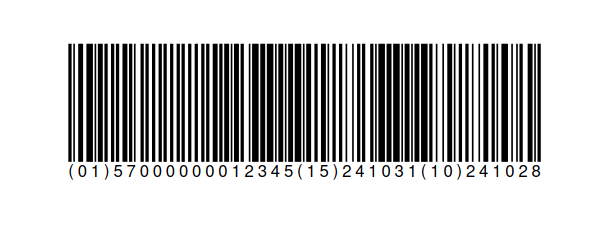
Example Liquid syntax for a barcode
<barcode value="[FNC1]01{{ ean }}[FNC1]15{{ line.lot.dates.best_before | date_format_gs1_ai }}[FNC1]10{{ batchNumber }}"label="(01){{ ean }}(15){{ line.lot.dates.best_before | date_format_gs1_ai }}(10){{ batchNumber }}" style="width: 100mm; height: 25mm;" type="C128" />which renders