Present data from multiple cubes
In this example we are creating a custom template for a production slip with dimentions and a recepie
Create template and access order details
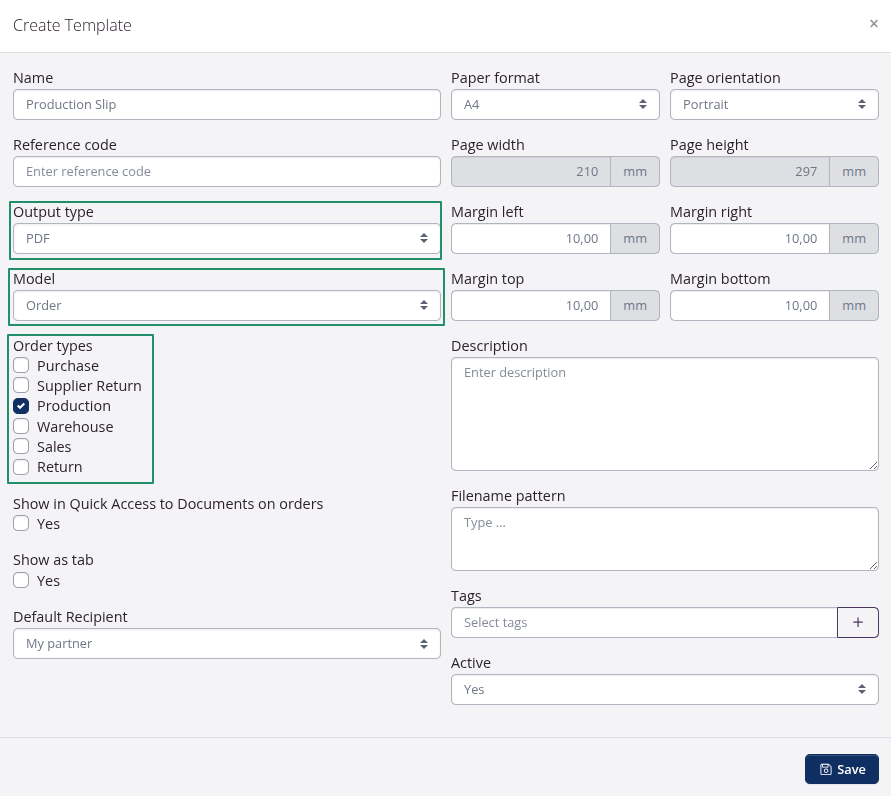
Output type
- We are createing a PDF document.
- We are using the order model.
- Because we selected order as the model we can select production.
Press Save to view the template editor
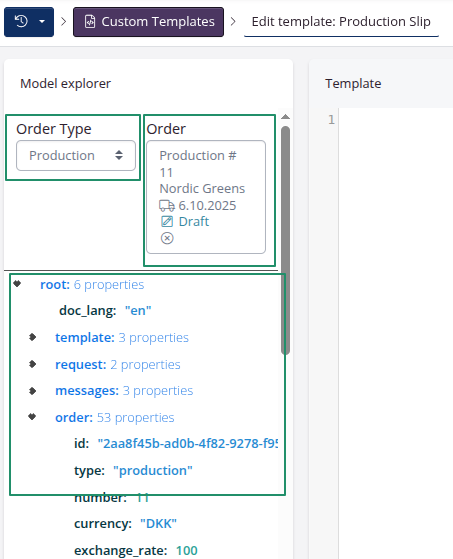
Now it is possible to select Order Type and a specific order when that is selected, you can see what fields are available.
Try to click on *Type: “Production” and notice that is inserted in the editor, when you press the save button the preview will show “Production”
Next
Image of dialog goes here.
extractsIsEnabled
Is this a feature on the account?
order instanceof WithInbounds
Is that a model joined to the order…
now the extract is joined and based on a unique sku_id.